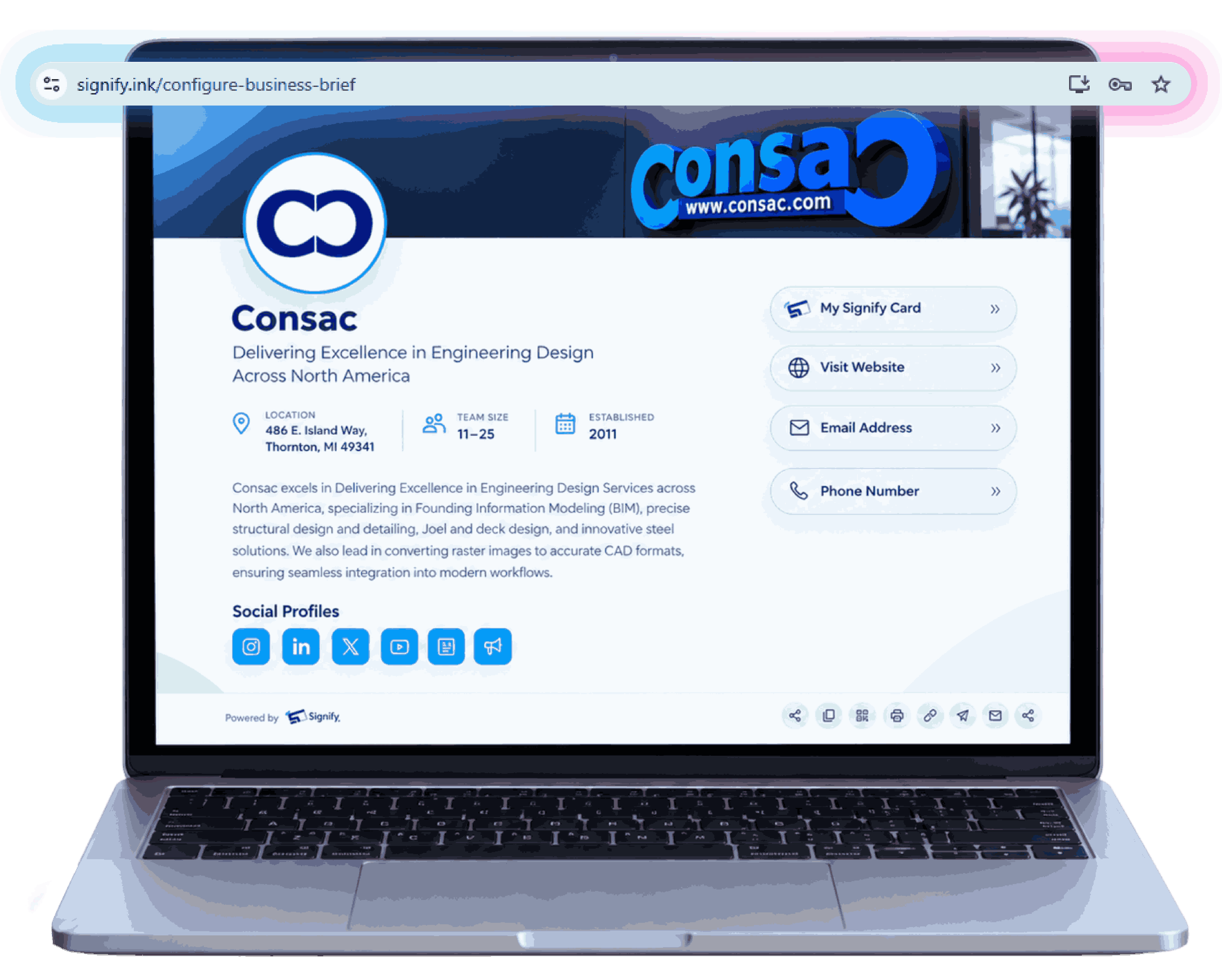
Business Overview
Company summary, headline, and bio for your visitors.
Help customers, partners, and prospects understand your business in seconds.
Build a professional page with your own custom URL and share your company overview, contact
information, social profiles, website, and digital business card from one place.
One Page. One Link. Everything About Your
Business.
Why Business Brief
When people discover your business, they want answers quickly. Business Brief provides a professional company profile link that presents your business, services, contact information, and online presence from a single page. Instead of sending people to multiple websites, social profiles, contact pages, and documents, share one Business Brief that brings everything together.
Company summary, headline, and bio for your visitors.
Direct email, phone options, and communication preferences.
Direct access to your key product and service pages.
All your official social channels in one centralized hub.
Physical address details and headquarters location.
Embedded interactive map to guide visitors to your office.
Direct link to your full Signify digital card.
Team size, founding year, and structural context.
Setup Your Business Brief
Business URL settings preview
Step 01 · Business URL
Choose a unique page address that represents your business and can be easily shared across email signatures, social media, digital business cards, proposals, and marketing campaigns.
Business Identity settings preview
Step 02 · Business Identity
Add your business name, headline, and business description to explain who you are, what you do, and why people should connect with you.
Company Information settings preview
Step 03 · Company Information
Share information that helps visitors understand your organization and build confidence in your brand.
Branding & Design settings preview
Step 04 · Branding & Design
Personalize your page with visual elements that align with your company identity and improve visitor recognition.
Profile & Digital Card settings preview
Step 05 · Profile & Digital Card
Select the profile image visitors will see and link your Signify Digital Business Card to create a seamless business networking experience.
Contact & Accessibility settings preview
Step 06 · Contact & Accessibility
Choose how customers, prospects, and business partners can contact your organization directly from your Business Brief.
Business Links settings preview
Step 07 · Business Links
Add important destinations that help visitors explore your company, services, products, and expertise.
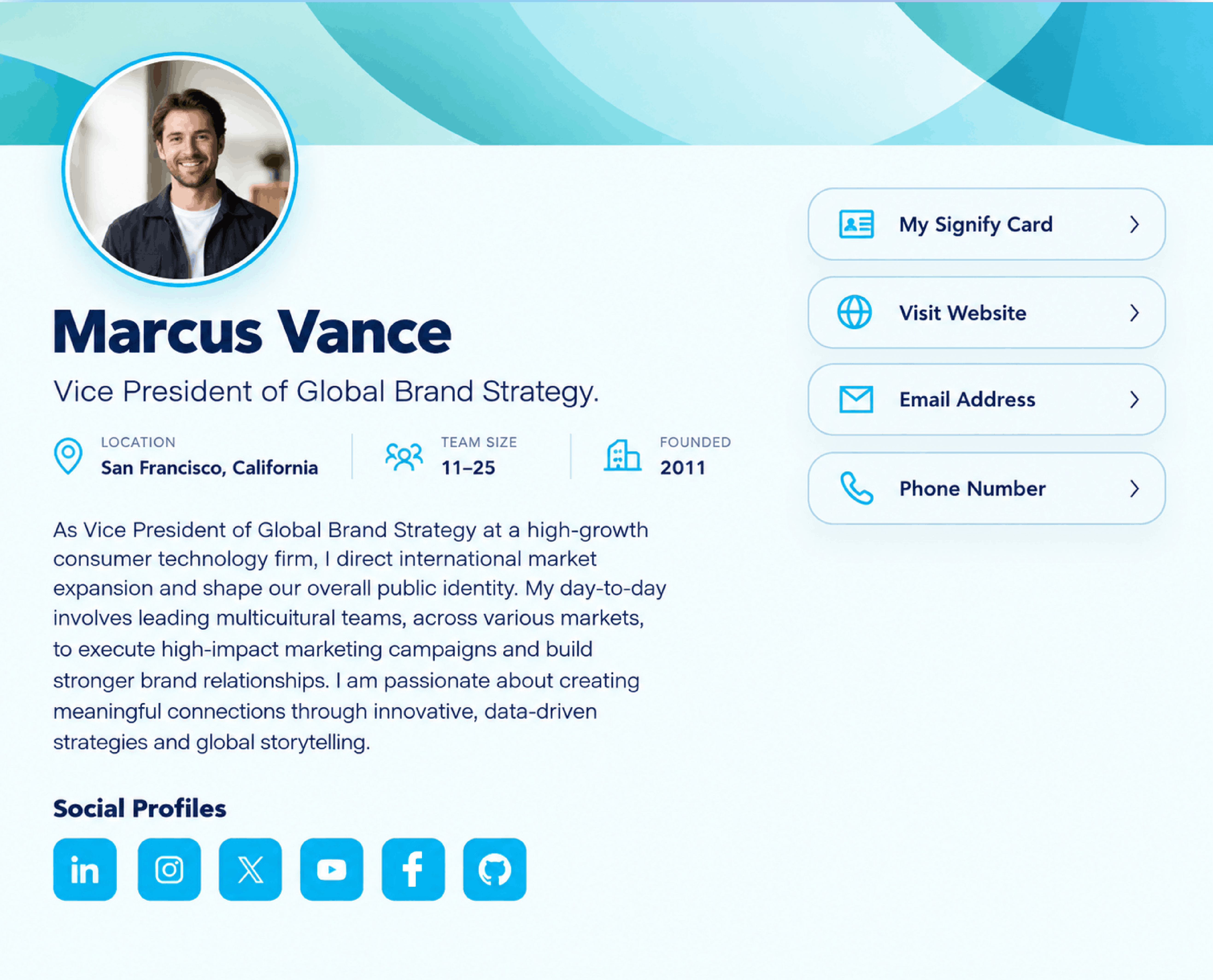
Published Business Brief page preview
Your Finished Page
Publish your Business Brief and create a central destination where visitors can learn about your business, discover your services, access your important links, and connect with confidence.
Set Up Your Business Brief